Trade Credit for pro customers
A national home improvement retailer wants to introduce a new payment solution to thousands of high value pro customers that they can use to buy their materials and get invoiced later.
EXPERIENCE GAP(s) and OBJECTIVE
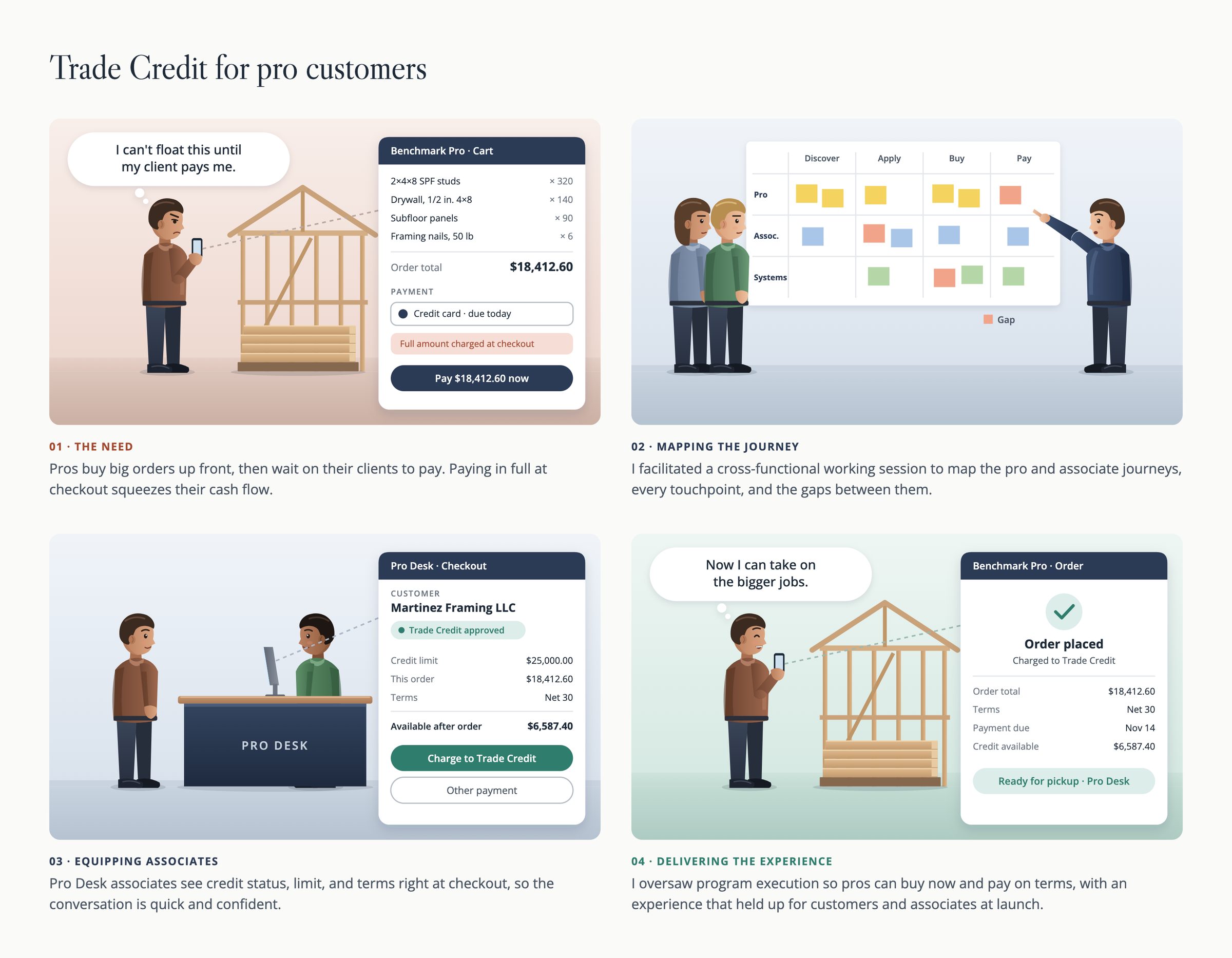
Pros buy big orders up front, then wait on their clients to pay. Paying in full at checkout squeezes their cash flow.
Offering Trade Credit meant far more than a new payment button. It touched how Pro sales support sets customers up, how orders are placed, how invoices are produced, how payments are collected, and what happens with deliveries and returns, across many systems and teams.
Objective
Map the end-to-end experience and the system interactions behind it, simplify a very complex process, communicate it to everyone involved, and capture existing or likely gaps early, so the team could plan for them or prevent them.
Measuring Success
Success of this multi-year project was first defined as - Revamp the buying and paying process for pro customers so they can use Trade Credit to purchase materials.
Long-term success would be defined by the percentage of pro customers using trade credit to purchase materials, increase in overall revenue from pro customers, high dollar value purchases, and how often they pay their invoices on time.
OUTCOMES and IMPACT
Increase in high dollar sales, increase in revenue, and happier customers by offering trade credit as a payment method for pros. The service blueprint I created became the shared reference for the program and was extremely useful in breaking down the work of a multi-year, high value initiative
APPROACH, EFFORT, and ARTIFACTS
Get everyone in the room
I facilitated many sessions with stakeholders across IT, strategy, sales, UX, CX, engineering, architecture, credit and risk, and pro customers, so the picture reflected how the process really worked and not how any one team saw it.
Whiteboard first, blueprint second
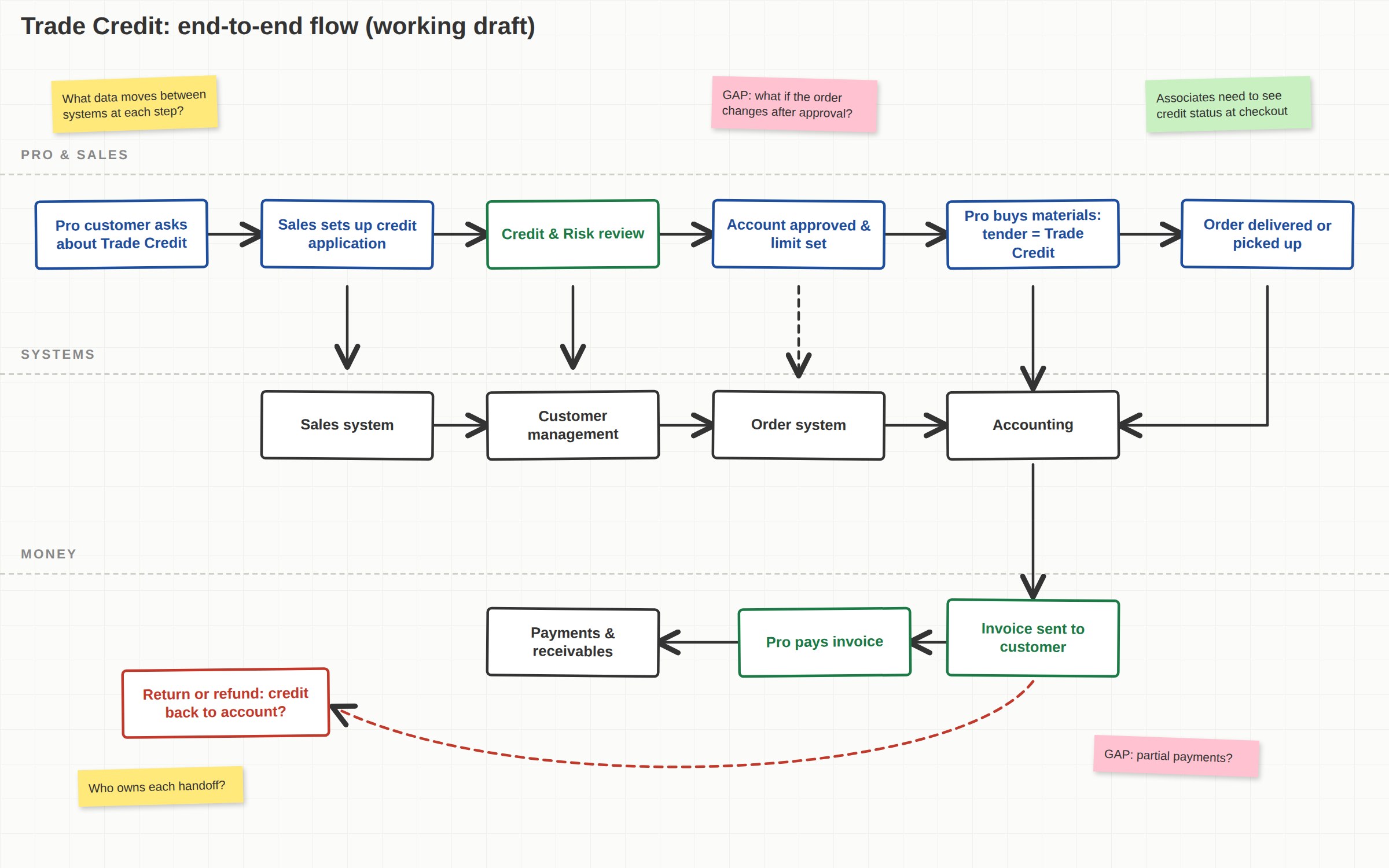
We started with boxes and arrows to agree on the flow, then built that into the service blueprint with customer interactions, back-stage work, systems, and data.
Capture the gaps
Wherever the experience broke down, or might, I marked it as a pain point or possible pain point, so teams could prevent it or reduce its impact on systems, associates, and customers.
Carry it through delivery
I used the blueprint to break the initiative into work for all teams involved, designed UI and user flows, and oversaw program execution through launch.
- Whiteboard flow of the end-to-end process
- Service blueprint with customer, back-stage, and system lanes
- Pain points and possible gaps, mapped to the journey
- Work breakdown for the multi-year initiative
THE SERVICE BLUEPRINT
The centerpiece of my work was a service blueprint of the whole experience: Pro sales support setting up a client with Trade Credit, the client buying materials with it, being invoiced, and paying. Underneath, it traced the system interactions and the data passed between the sales system, order system, customer management, accounting, payments and receivables, deliveries, and returns.
I built it through many working sessions with stakeholders from IT, Business Strategy, Pro Sales, UX, CX, Engineering, Solutions Architecture, and Credit and Risk, and with some pro customers themselves.
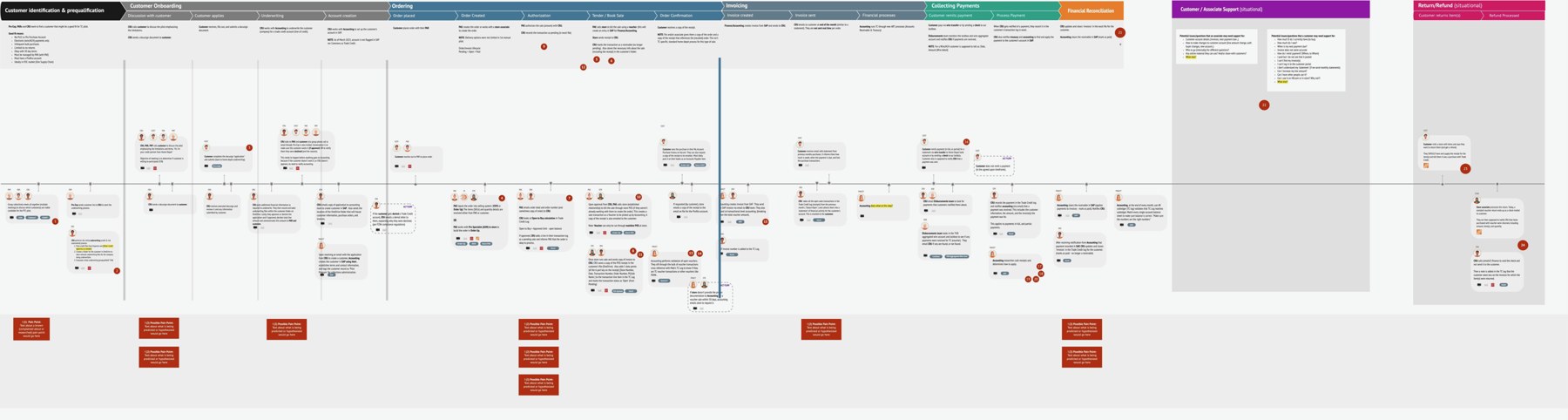
The finished service blueprint, shown small to convey its scale. Scroll sideways to see all of it.
It captured customer interactions, back-stage interactions, systems and data handoffs, and pain points, with each possible gap marked so it could be planned for. It was too large to read on one page, which was part of the point: this was a genuinely complex process, and the blueprint made it something people could discuss, challenge, and agree on.
THE DESIGN SOLUTION
For the pro, the result is simple. At checkout, Trade Credit sits alongside cash and a stored card, with their available credit visible, so they can buy materials now and pay on terms. Pro Desk associates see the same credit status and terms, which keeps the conversation quick and confident.
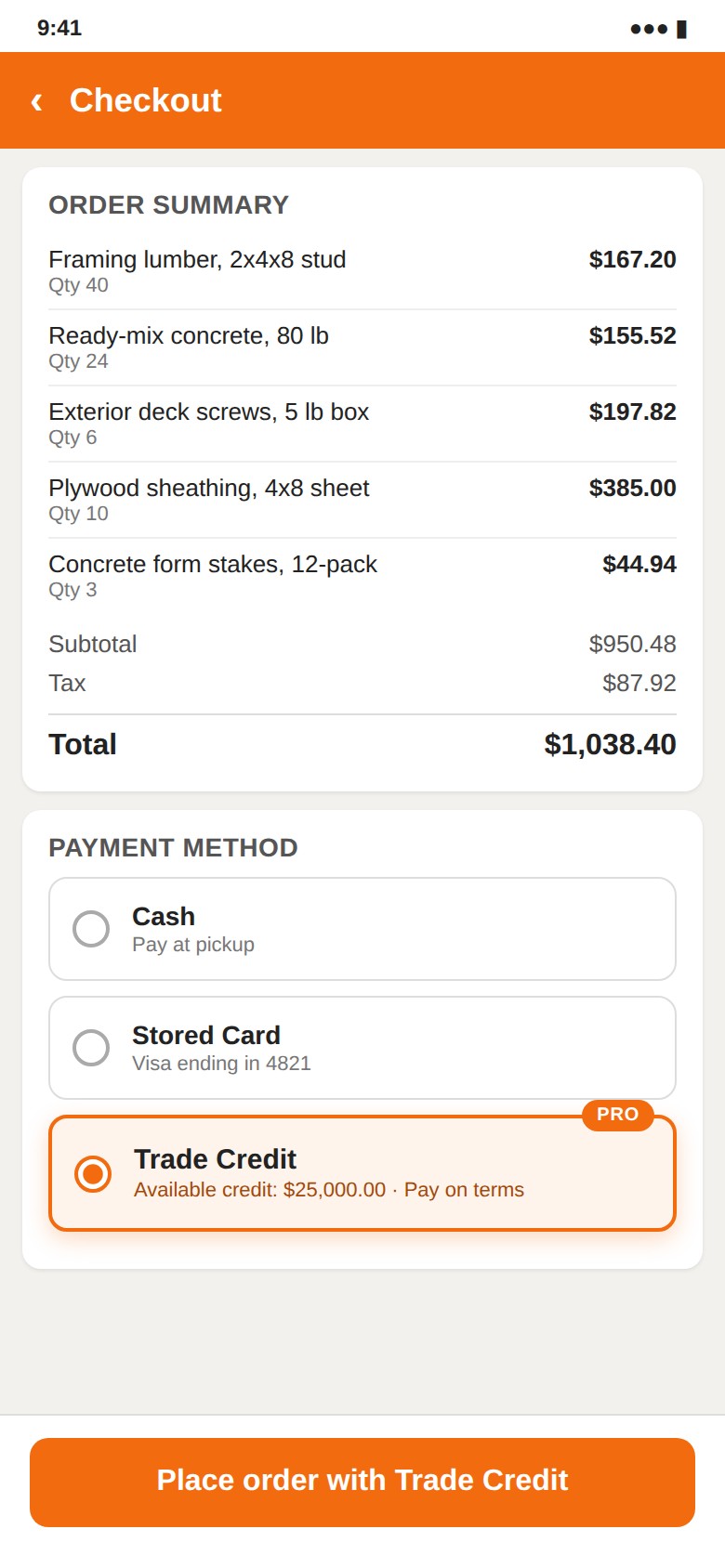
The actual product screens are proprietary. The checkout and whiteboard images are representative samples with fictional data, created for this portfolio.
LEARNINGS
- ALWAYS keep the business objectives in mind, when designing any solution. It can't just be about customer wants and needs.
- How to map a large, complex process in a simple way so that multiple teams across a large organization can easily consume and use.
- How to successfully coordinate workshops and discussions between teams with competing goals and priorities.
- This project was only a little bit about UI - mostly process and service design.