Redesigning an associate project management tool
A custom internal project management tool, redesigned from an outdated interface into a modern, standards-based web experience using Material Design patterns.
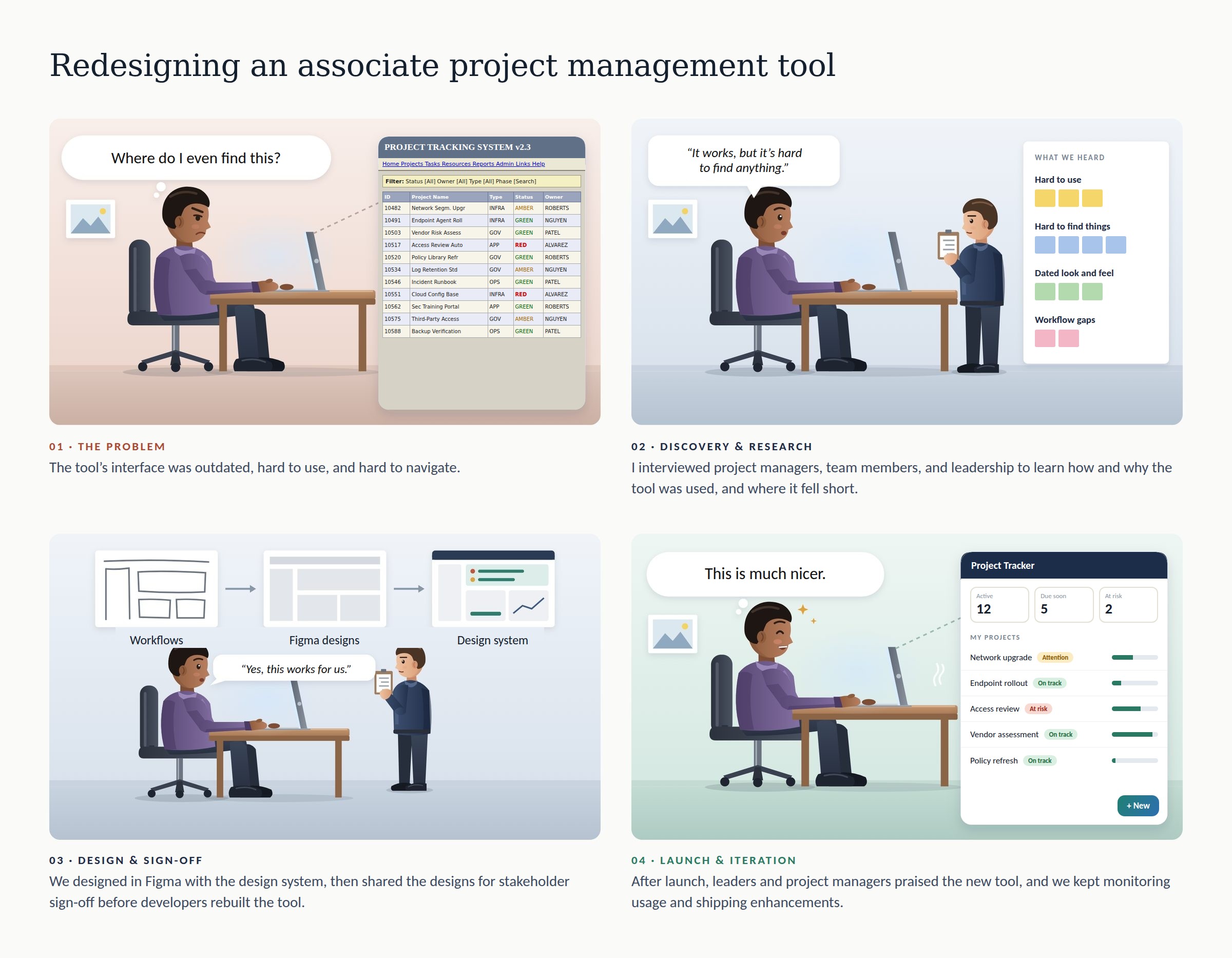
EXPERIENCE GAP(s)and OBJECTIVE
The team's project management tool had an outdated interface with poor usability, poor findability, and an antiquated visual design. People had to hunt for the project or task they needed, and the tool felt like a relic next to the modern software they used everywhere else.
Objective
Replace the interface with a modern, standards-based, accessible web experience, and use the redesign to improve the tool's usefulness by fixing the workflows and interface components that were getting in people's way.
Measuring Success
Long term, success would be measured by feedback on usefulness, ease of use, and satisfaction by all user types. Short term, the success would be measured by launching the updated product within 6 months.
OUTCOMES and IMPACT
After launch, the new tool received strong praise from leadership and project managers. Their feedback was consistent: it was easier to use and it finally looked like modern software.
I stayed involved after launch: monitoring usage, fielding requests for enhancements, and iteratively updating the tool's features as needs changed.
THE DESIGN SOLUTION
The new tool moves from a dense, table-and-link layout to a clean interface built on Material Design patterns: a clear navigation rail, a dashboard that shows where things stand, filters and saved views that make projects easy to find, and status shown at a glance.
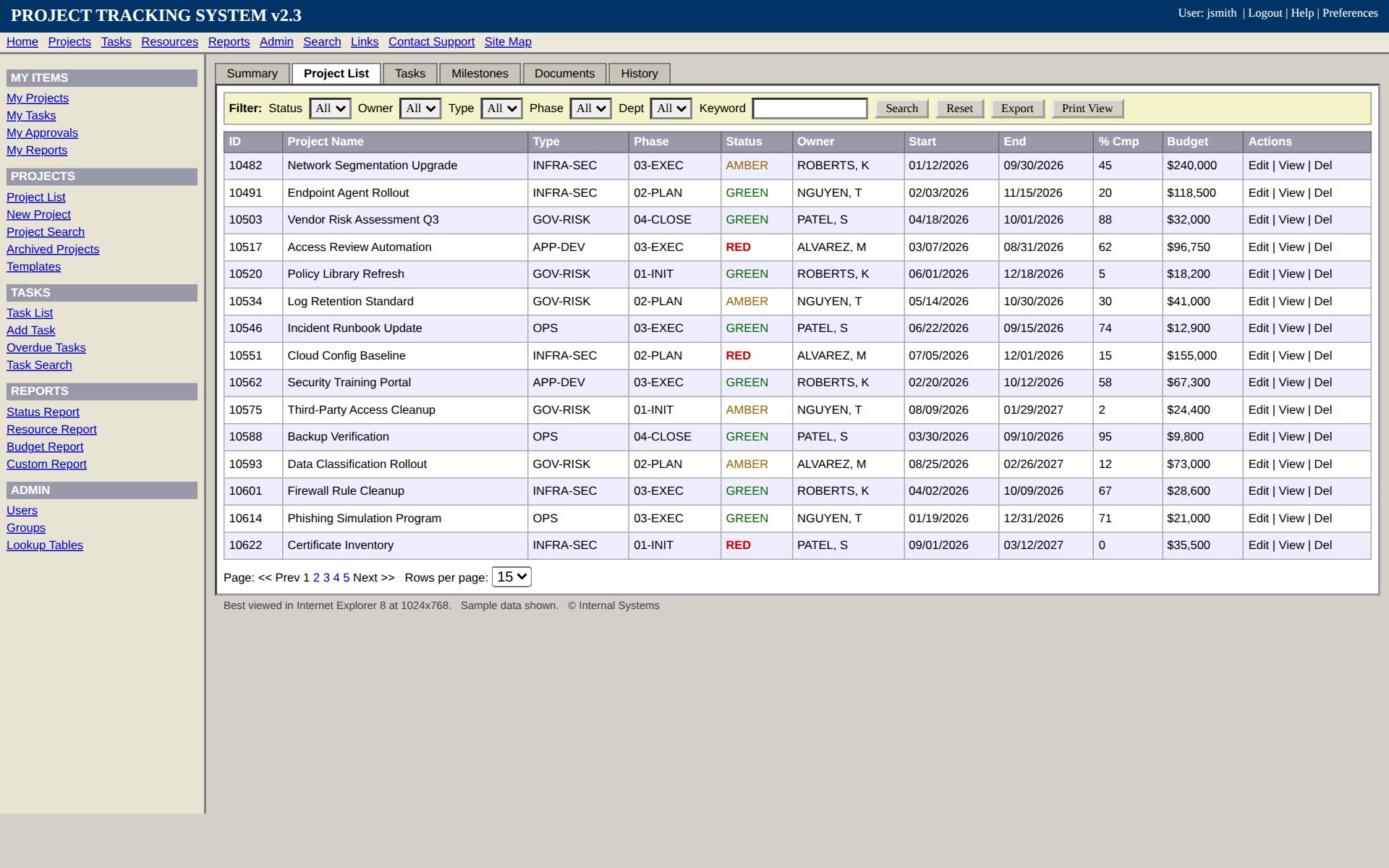
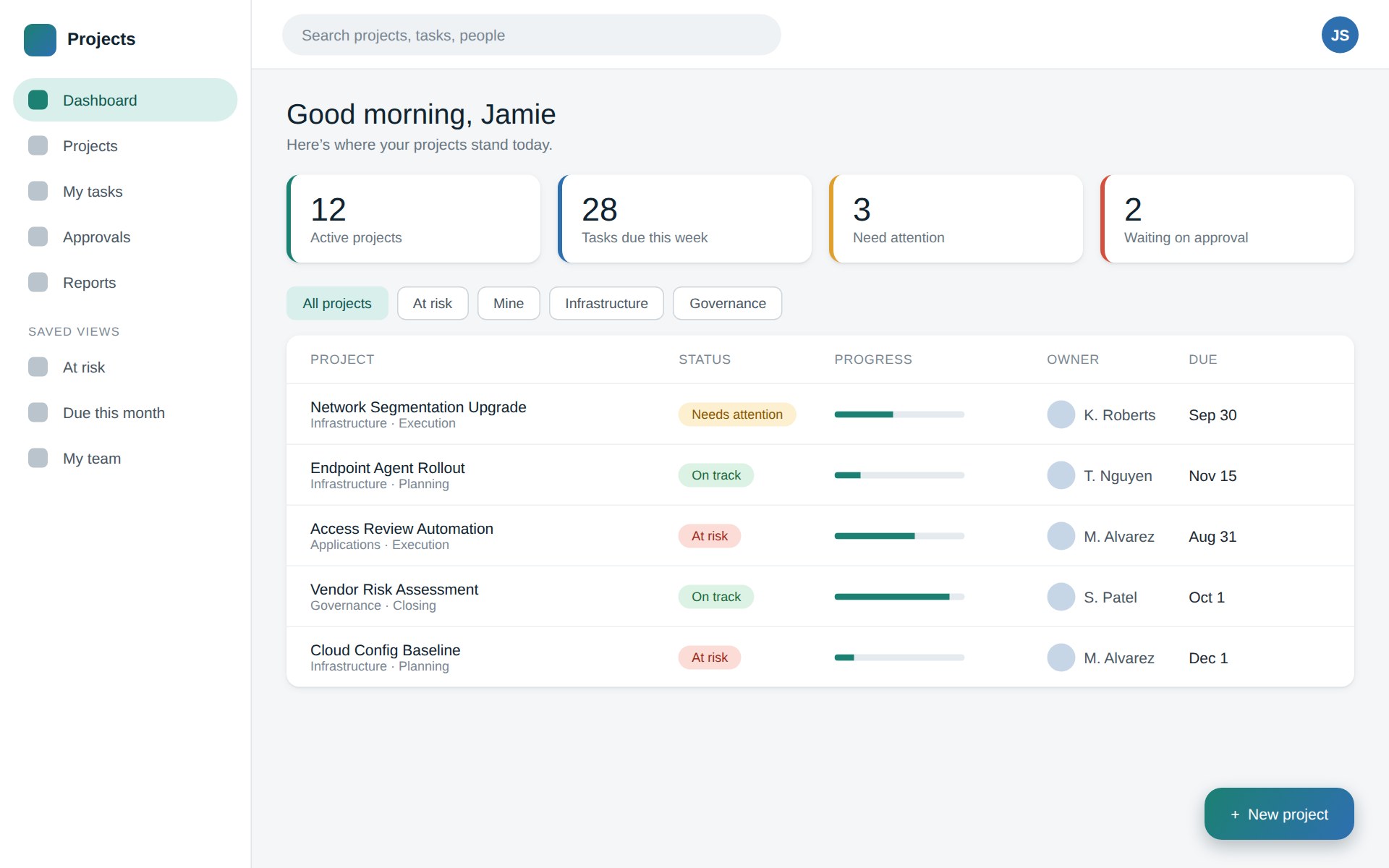
Note: The actual product screens are proprietary. These images are representative samples with fictional data, created for this portfolio.
APPROACH, EFFORT, and ARTIFACTS
I worked with the project team as one of two UX leads, from research through design, stakeholder sign-off, and the handoff to developers who rebuilt the system.
Understand how the tool was really used
I interviewed project managers, team members, and leadership to learn how the tool was used, why they used it, and where it fell short. Those gaps shaped which workflows and interface components to improve, not just how the screens should look.
Design in Figma with the design system
Because we had a base to start from, I designed in Figma using the embedded design system, which kept the new screens consistent with Material Design patterns and sped up the work.
Get sign-off, then rebuild
I shared the designs with stakeholders and received their sign-off before working with developers to rebuild the system, so what was built matched what had been approved.
Keep improving after launch
I continued to monitor usage, collect enhancement requests, and iterate on the tool's features.
- Interview notes and synthesis across the three user groups
- Figma designs built on the design system
- Stakeholder review and sign-off
- Enhancement backlog informed by post-launch usage
LEARNINGS
During the redesign of the Cyber PM tool, I learned the internal tech stack that was being used for the tool - Microsoft Power Platform. This helped us understand any design constraints we needed to consider, including accessibility concerns with the tech platform. I also enhanced my understanding of the internal, customized material design system used to design internal tools.