A maintenance tracker built for our household
Keeping up with care for our cars and our house, without the complexity or cost of off-the-shelf apps.
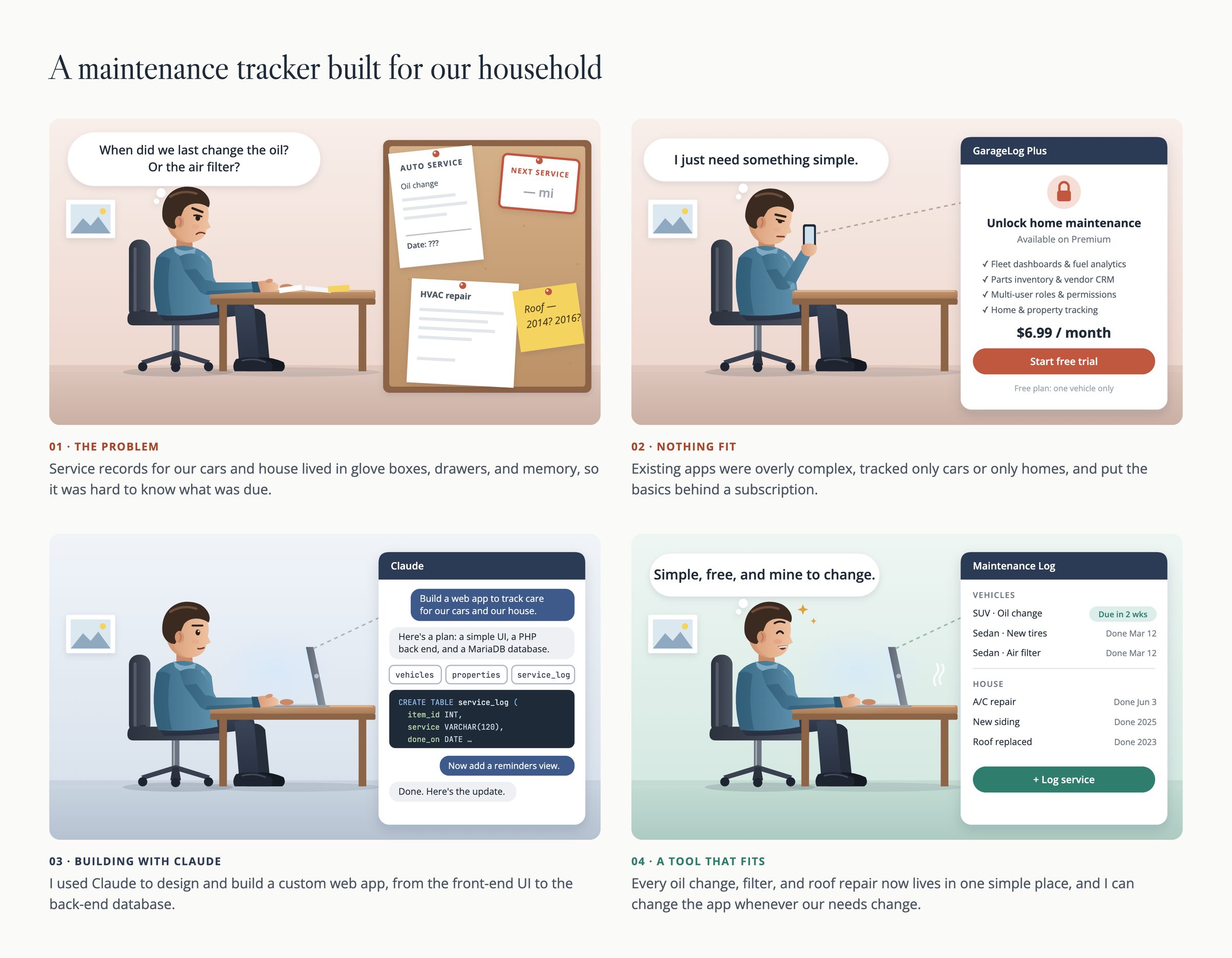
EXPERIENCE GAP(s) and OBJECTIVE
Service records for our cars and our house lived in glove boxes, drawers, and memory, so it is hard to know what has been done, by whom, and when.
The apps I tried were overly complex, tracked only cars or only homes, or put the basics behind a subscription.
Objective
Build one simple, free place to log and find maintenance for every vehicle and the house, and use the project to learn Claude Code by building something real that I would use.
THE SOLUTION
A web app where every vehicle and the house has a card, and logging a service takes a few fields. Records can be filtered by vehicle and service type, searched by keyword (“tires,” “oil,” “brake”), and edited later when I remember a missing detail.
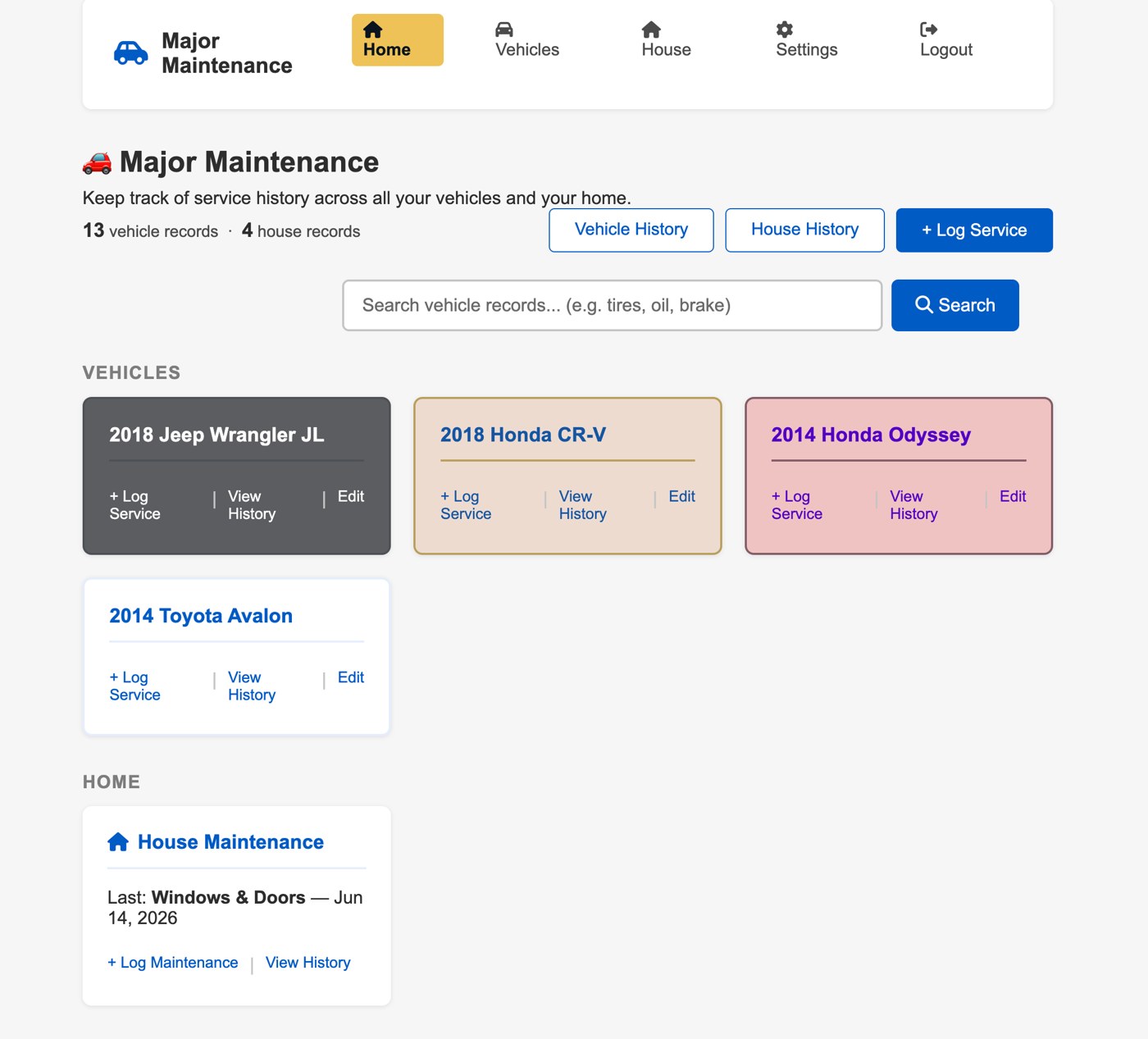
- Vehicles and home together. One log instead of separate apps for cars and the house.
- Fields that fit the job. Vehicle records capture service type, subcategory, location, mileage, and notes. House records capture category, contractor, cost, and notes.
- Easy to find things. Filter by vehicle and service type, or search across records.
OUTCOMES and IMPACT
The app is fully functional and I use it for our vehicles and our home. Because I built it, I can change it whenever our needs change.
The visual design is deliberately simple and utilitarian. This project was about learning to build with an AI coding agent and shipping something useful, not about visual polish.
APPROACH, EFFORT, and ARTIFACTS
This was a one-person project, so I wore every hat:
- Designer: layout, interaction, and the look of the interface
- Product manager: deciding what to build, what to leave out, and what came next
- Prompt engineer: using Claude to assist
- Front-end developer: the web interface
- Database architect: the data model behind vehicles, house records, and service history
- QA: testing it against real records
- User: the person who actually depends on it
I built the webapp in PHP and MariaDB, working in conversation with Claude Code. I described what I needed, reviewed what came back, tested it, and refined it, much the way I would direct a junior designer or developer on a team.
LEARNINGS
- Using Claude to help design and code is not scary, and is in fact easy.
- A functioning product can be built in a matter of days