Improving Education with AI Tools
An AI teaching assistant that helps teachers create standards-based, tailored content for different learning styles and knowledge levels, keeps a pulse check on the class, and keeps parents informed with progress and ways to help at home.
EXPERIENCE GAP(s) and OBJECTIVE
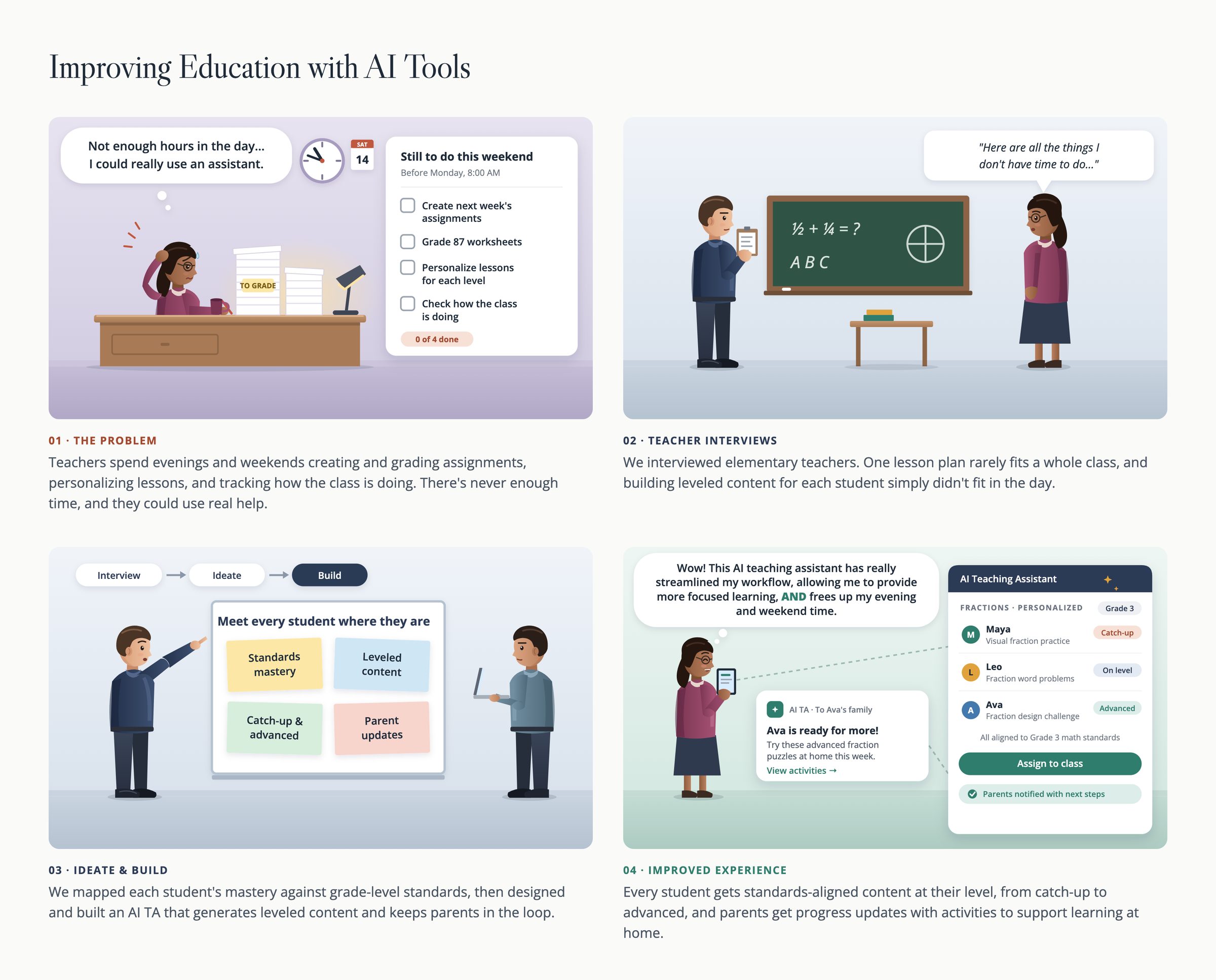
Teachers spend evenings and weekends creating and grading assignments, personalizing lessons, and tracking how the class is doing. There is never enough time, and they could use real help.
Interviews with elementary teachers showed that one lesson plan rarely fits a whole class, and building leveled content for each student simply didn't fit in the day.
Objective
Give elementary teachers back their time and a daily read on the class, so they can:
- Create standards-based content tailored to each student's level and learning style
- Keep a regular pulse on how every student is doing
- See each child's journey across grades
- Keep parents informed, with ways to help at home
Measuring Success
Long term, success would be measured by product adoption, and feedback on usefulness, ease of use, and satisfaction by all user types. Short term, the success would be measured by creating a working product to demo.
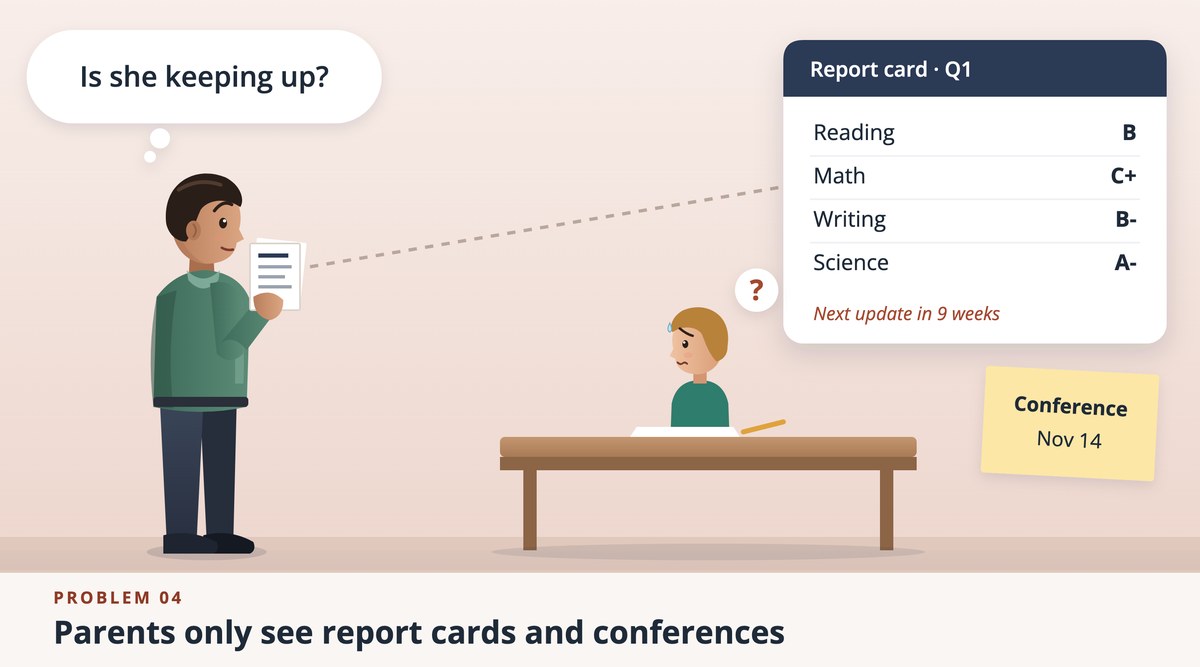
What discovery research surfaced
THE DESIGN SOLUTION
ClassPulse is an AI teaching assistant for the elementary classroom. It adapts lesson plans to every student, checks in with the class every day, follows each child across grades, and keeps parents informed. Each part of the design answers one of the four problems above.
One home for the whole class
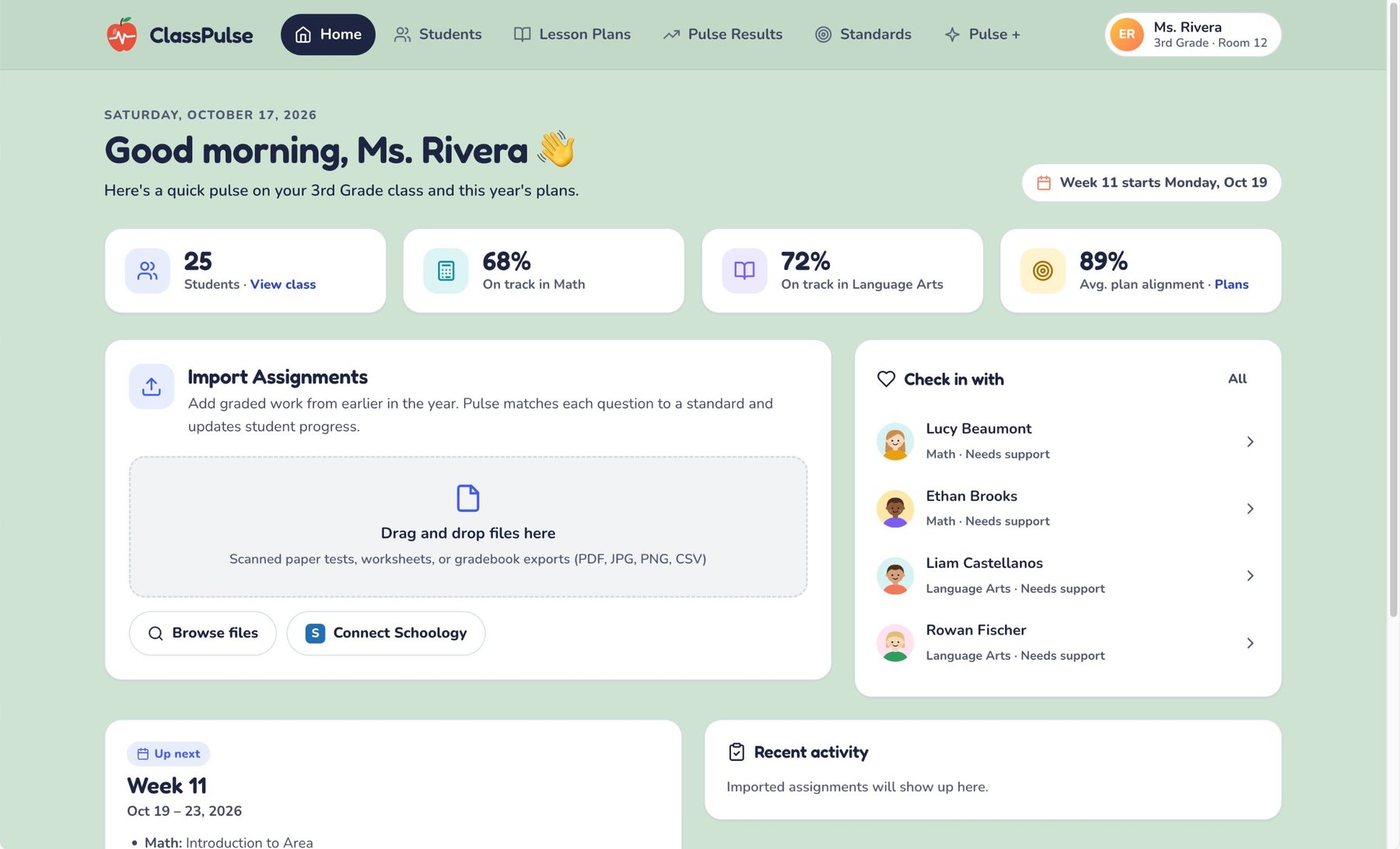
The home screen gives a teacher a quick pulse before the day starts: how many students are on track in Math and Language Arts and how closely plans line up with the standards. A short "Check in with" list puts the students who need support first. Teachers can also import earlier graded work (scans, worksheets, gradebook exports, or Schoology) so Pulse can match each question to a standard and update student progress.
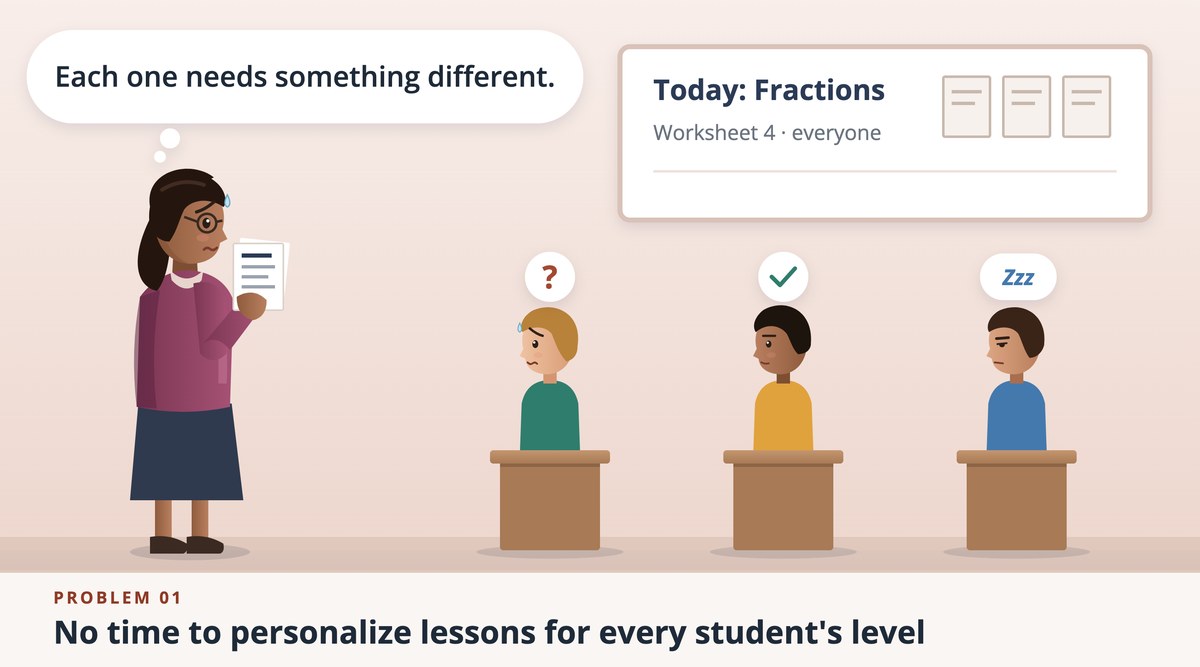
Solves problem 01 Lesson plans that adapt to every student
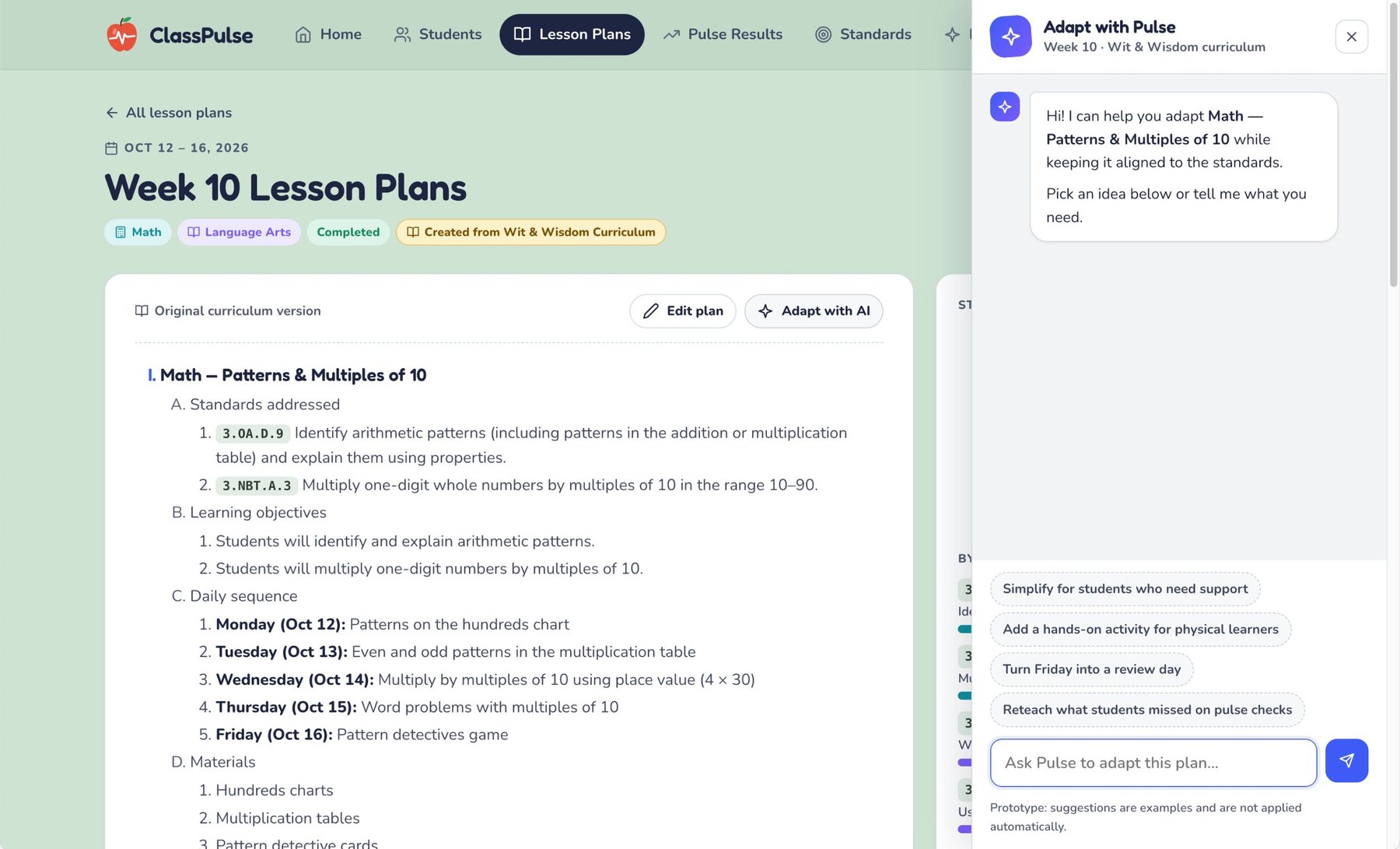
Plans are created from the curriculum and tagged with the standards they address, so teachers start from something aligned. Adapt with Pulse opens an assistant right inside the plan. One tap can simplify a lesson for students who need support, add a hands-on activity for physical learners, turn Friday into a review day, or reteach what students missed on pulse checks. The teacher stays in control of what changes.
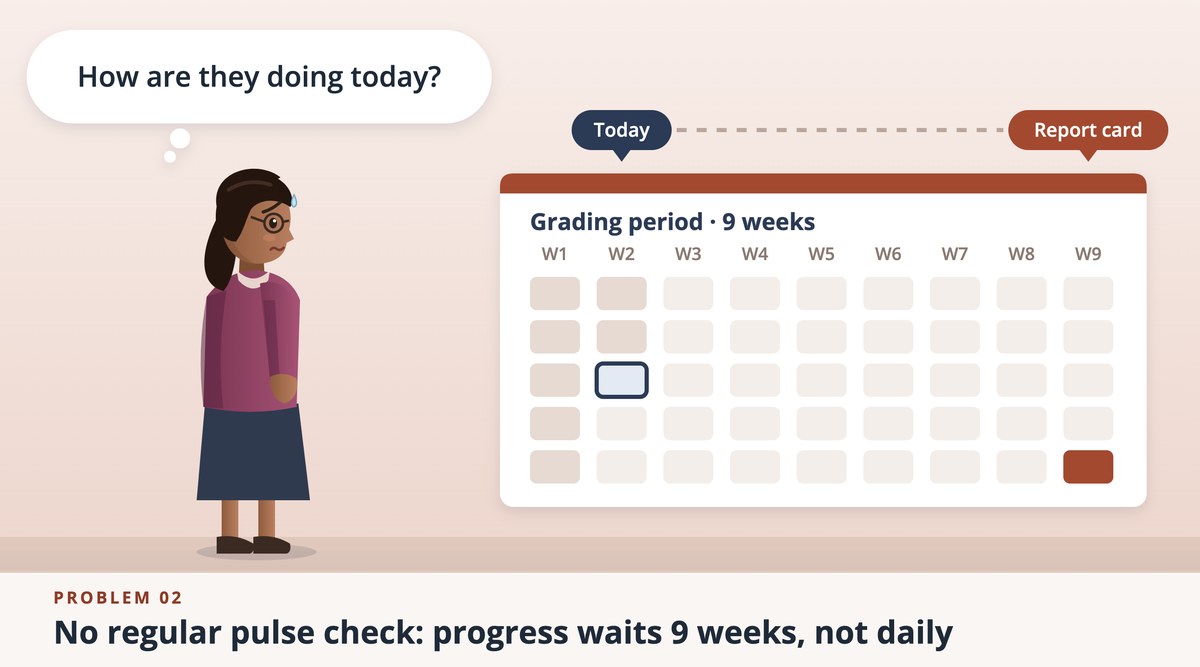
Solves problem 02 A daily pulse instead of a nine-week wait
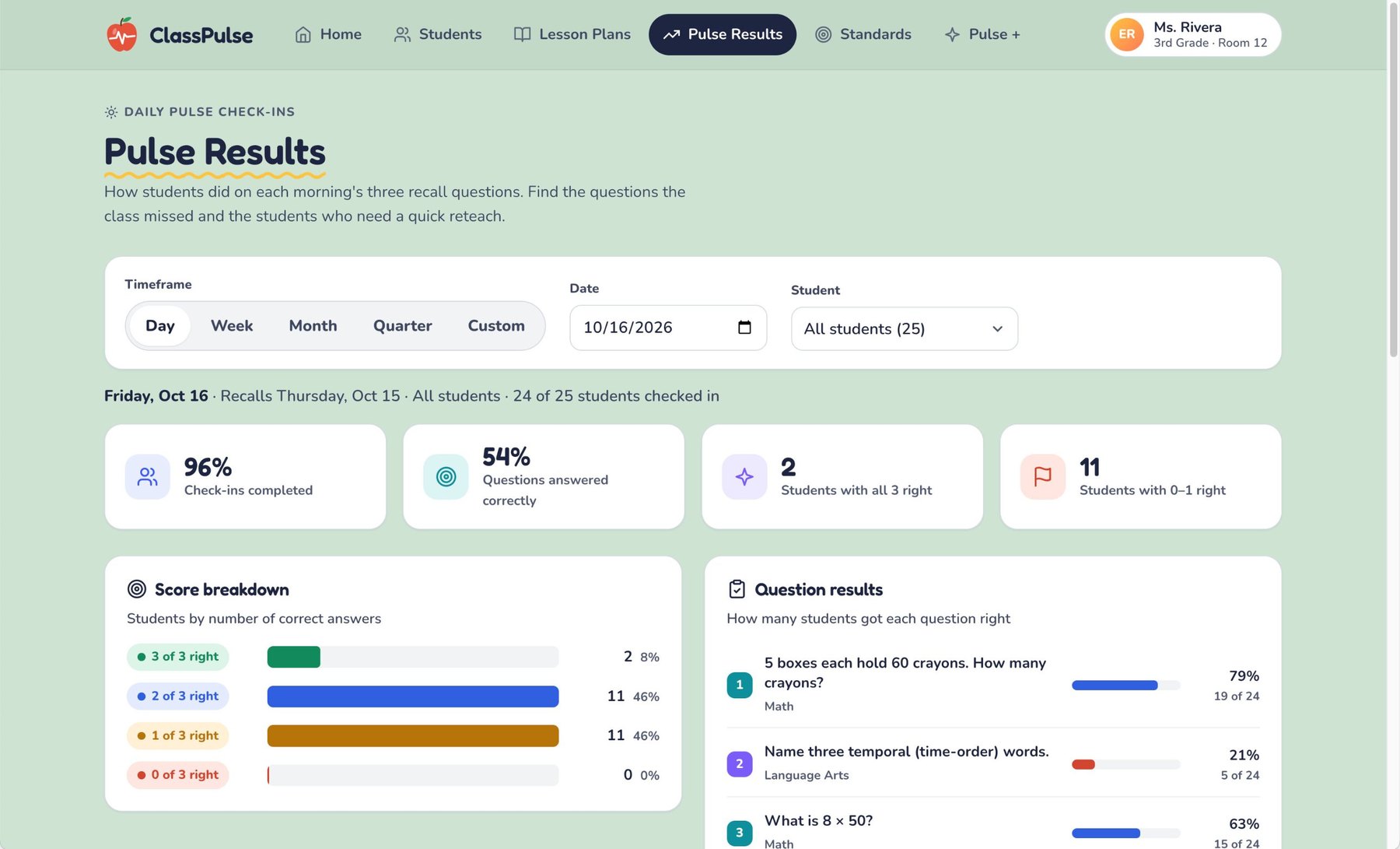
Each morning students answer three short recall questions. Pulse Results turns the answers into a view a teacher can read in seconds: how many students checked in, how many questions were answered correctly, who got all three right and who got none or one, and which questions the class missed. Filters for day, week, month, quarter, or a single student show what to reteach and who needs a quick check-in, today, not at the end of the grading period.
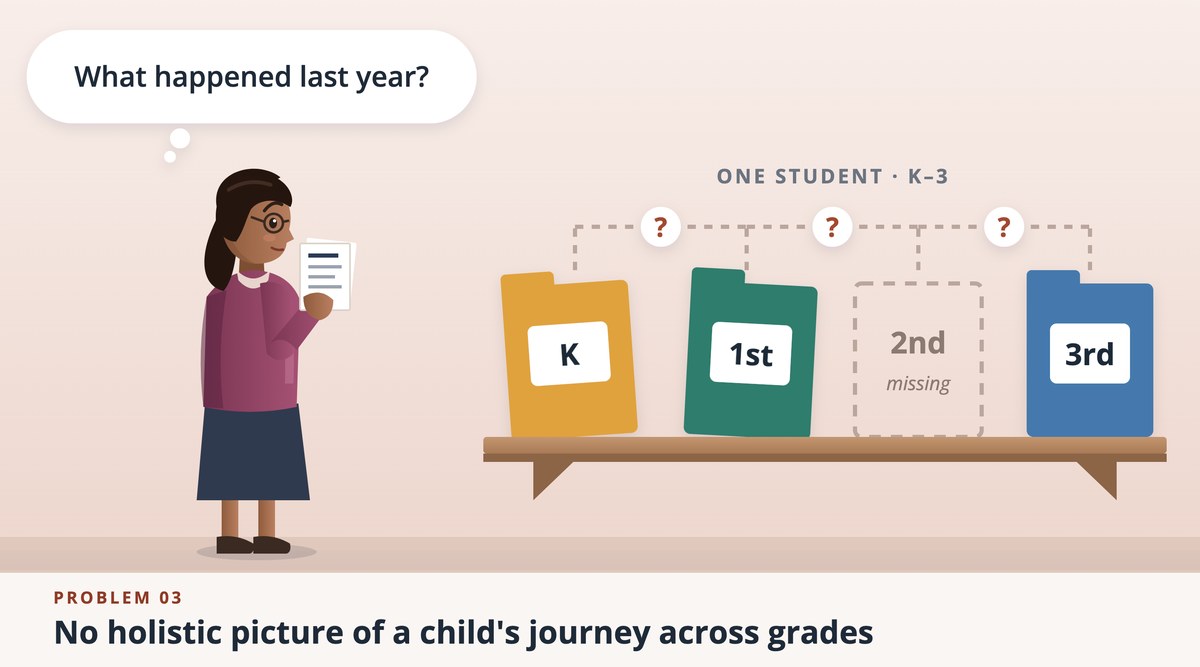
Solves problem 03 A student's whole journey in one profile
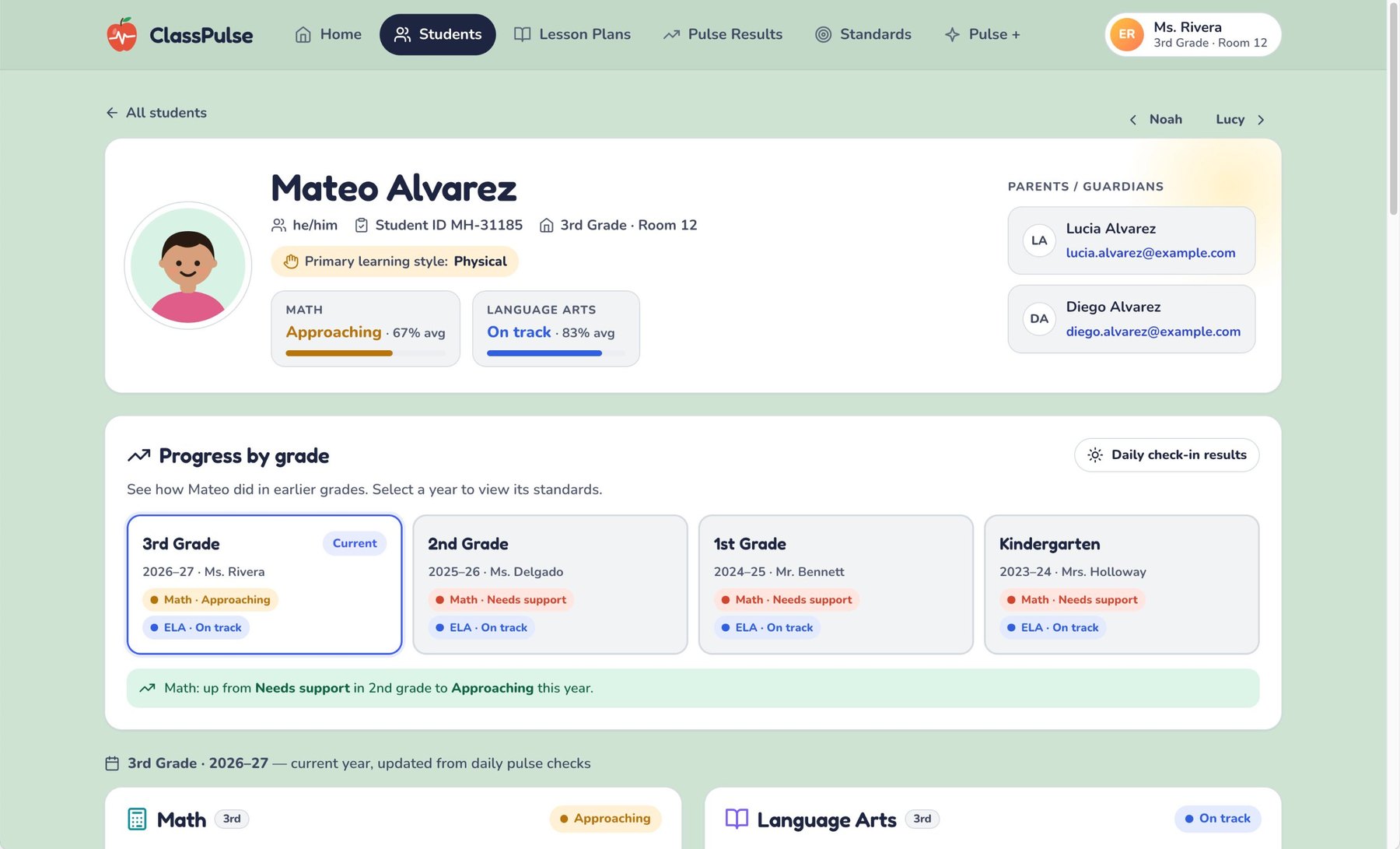
Each student profile brings together learning style, current standing in Math and Language Arts, and progress by grade from kindergarten forward, so no year goes missing. A callout names the trend, such as Math moving from Needs support in second grade to Approaching this year, and parents and guardians are listed on the same page.
Solves problem 04 Parents in the loop, with ways to help at home
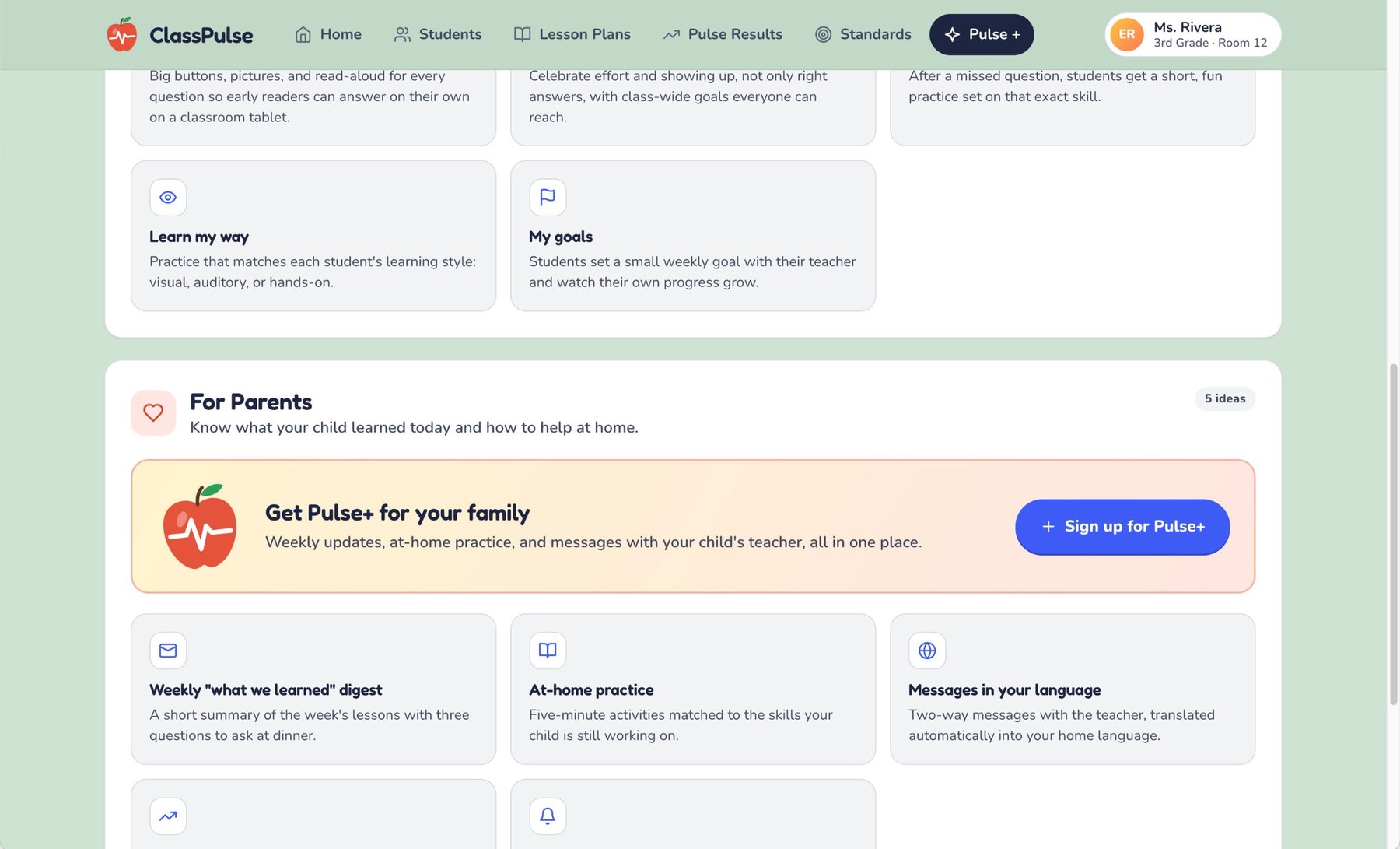
Pulse+ extends the design to families. Parents get a weekly "what we learned" digest with three questions to ask at dinner, five-minute at-home practice matched to the skills their child is still working on, and two-way messages with the teacher that are translated into the family's home language. Students get practice that matches their learning style and a small weekly goal of their own.
OUTCOMES and IMPACT
This project was part of an Oracle sponsored Hackathon at Vanderbilt University, so the product has not yet launched.
The expected outcomes after use:
- Teachers get time back and a daily read on the class
- Every student can get standards-aligned content at their level, from catch-up to advanced.
- Parents get regular progress updates with activities to support learning at home, instead of a report card every nine weeks.
After sharing the MVP product with the teachers that were originally interviewed, they were very pleased with it, and said things like "wow, I'd love to start using this tomorrow", and "Schools could provide kids with a much more tailored education by giving time back to the teachers".
APPROACH, EFFORT, and ARTIFACTS
We interviewed elementary teachers, to understand the current issues in classrooms (for them, students, and parents). We also asked if they are currently using AI to assist with teaching, and if not, why not.
Understanding the real world needs, helped us quickly solution to solve for those current gaps.
We were able to create AI-assisted tools that connected to actual Federal standards and state curriculum to demonstrate the usefulness of the tool.
The AI-assistant also created pulse quizzes tied back to those standards and curriculum, to give the tool a feeling of realness when shared back with the educators for feedback.
I served as UX Lead on the project team with a product manager and 2 developers. I led the research, created all design, and created the interactive prototype (within the span of 2 days).
Artifacts and Outputs
- Storyboards illustrating the issues with the current processes
- Designs of potential solutions to the discovered problems
- Interactive prototype, for concept testing and development
- Slide deck to present the process and MVP product to a panel of judges
LEARNINGS
I learned how quickly we can go from real world issues, to potential solutions. The typical corporate project cycle could be condensed with smaller teams, focused objectives, and the allowance for experimentation and user research.